
Live Broadcast

Multi-Camera Live Streaming

One to eight cameras on site, backed by real experience coordinating simultaneous broadcasts across borders. High-grade equipment and redundant systems keep the signal from every event rock solid.
Tell us about your broadcast
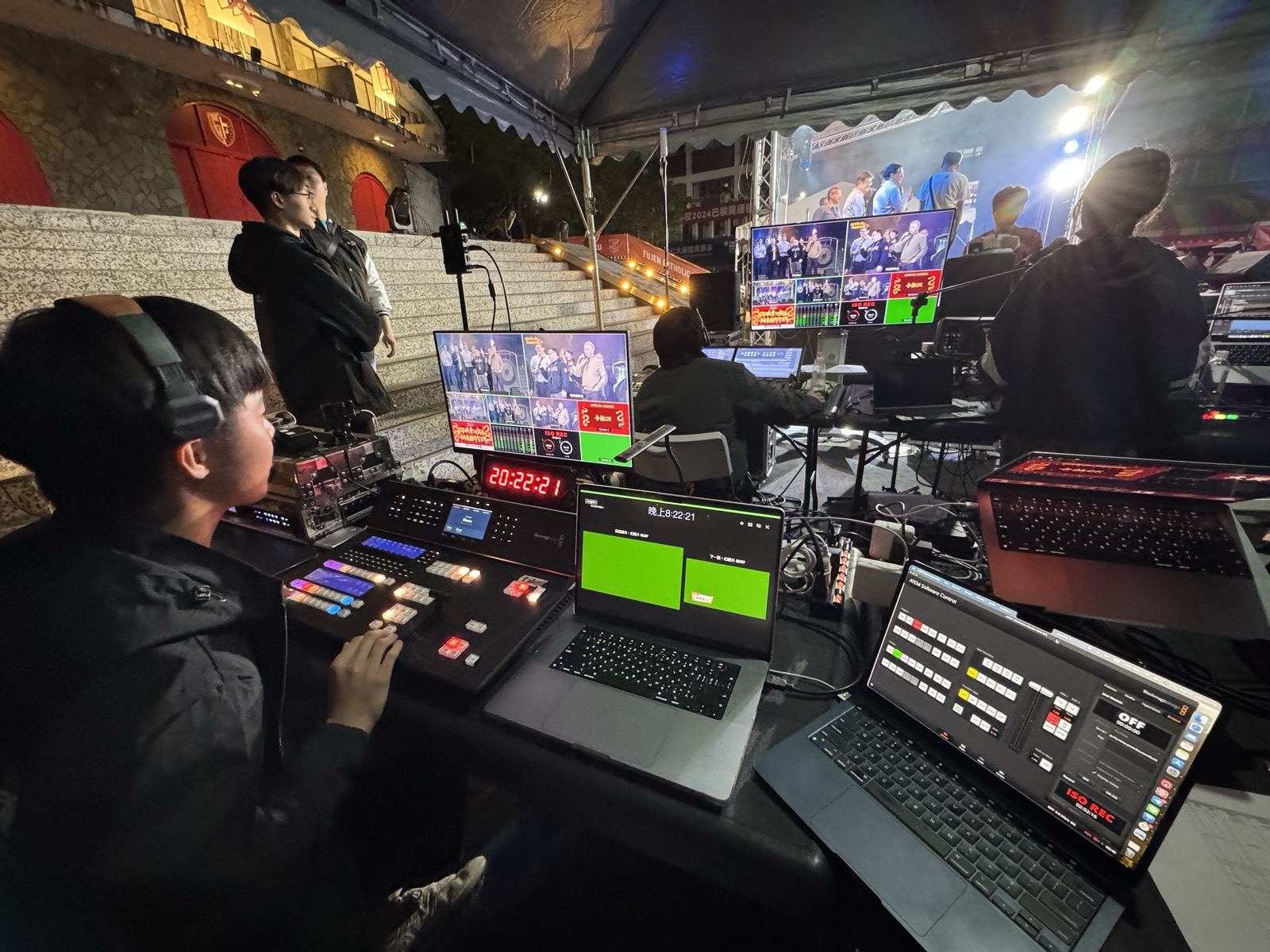
Multi-camera directing and signal monitoring at an outdoor event

Full-Scale Direction

One to eight cameras with multi-angle switching, cut to tell the story exactly as it unfolds.

Borderless Connection

Hands-on experience coordinating simultaneous cross-border broadcasts, linking speakers at home and abroad.

Arts & Music Broadcasts

We read scores, so we stay in step with the most demanding concerts and performing arts programmes.

Zero-Failure Commitment

Broadcast-grade equipment and full redundancy keep the signal stable and uninterrupted.

Network Engineering

Professional Wi-Fi deployment and VLAN configuration, with dedicated broadcast lines arranged on your behalf.

AI Live Captions

Live translation captions in over 90 languages, carrying your content past language and borders.

On Site

On Site

Selected Works

Live Streaming Work

How Many Cameras

How Many Cameras Does Your Event Need?

More cameras isn't automatically better. It depends on the size of the room, whether there's a stage performance, and whether the picture needs live switching. Here's what we typically run for events in Taipei.

Single camera Talks, briefings, training sessions
A locked-off camera on the speaker — right for a straight record or a simple online stream
Two cameras Press conferences, product launches, panel discussions
One camera on the speaker, one wide or on the audience — switching keeps the picture from going flat
Three to four cameras Forums, award ceremonies, annual banquets
Side and close-up angles capture the interactions and the moment an award is handed over
Five to eight cameras Concerts, large ceremonies, stage performances
Includes a jib and roaming cameras, directed across multiple angles in time with the programme

If you're unsure, send us the run sheet. We'll tell you which cameras you need and which you can drop — we don't pad the count to inflate a quote.

Before The Show

What We Check Before Going Live

Most live-stream failures aren't broken equipment — they're these details going unchecked.

Venue layout and camera positionsPower outlets, cable runs, and whether the audience or crew will block a camera's view.
On-site bandwidthWe measure the actual upload speed and stability; if it falls short we arrange a dedicated line or add mobile failover.
Streaming platforms and accountsAccess rights and stream keys for YouTube, Facebook, LINE or your own platform — and whether you need simultaneous multi-platform output.
How we take the audioA feed from the venue's mixing desk is cleanest; without one we assess wireless mics or directional pickup.
Slides and title cardsWhether the speaker's slides go into the picture, and whether you need lower thirds and live translation captions.
Run sheet and rehearsalCamera cuts are planned around the run sheet; for large events we recommend loading in a day early to rehearse.

Planning a Broadcast Starts With the Details

Camera count, number of days, streaming platforms and the venue's network — we'll recommend a setup based on what's actually there.

Get a Quote