
Live Streaming Services in Taiwan
Lighthouse Creative is a live streaming company based in Taipei. We mainly do event live streaming and multi-camera recording. Depending on the size of your event we bring 1 to 8 cameras, and we can also handle the vision mixing, audio and on-site network. Most of our work is press conferences, forums and conferences, cross-border link-ups, and streams for internal audiences only.
We have led the broadcast for NVIDIA CEO Jensen Huang's cross-border links three times, connecting Taipei, Bangkok, Hanoi and New York, and rehearsing with the US directing team across a 16-hour time difference. For multilingual events we can add AI live captions.
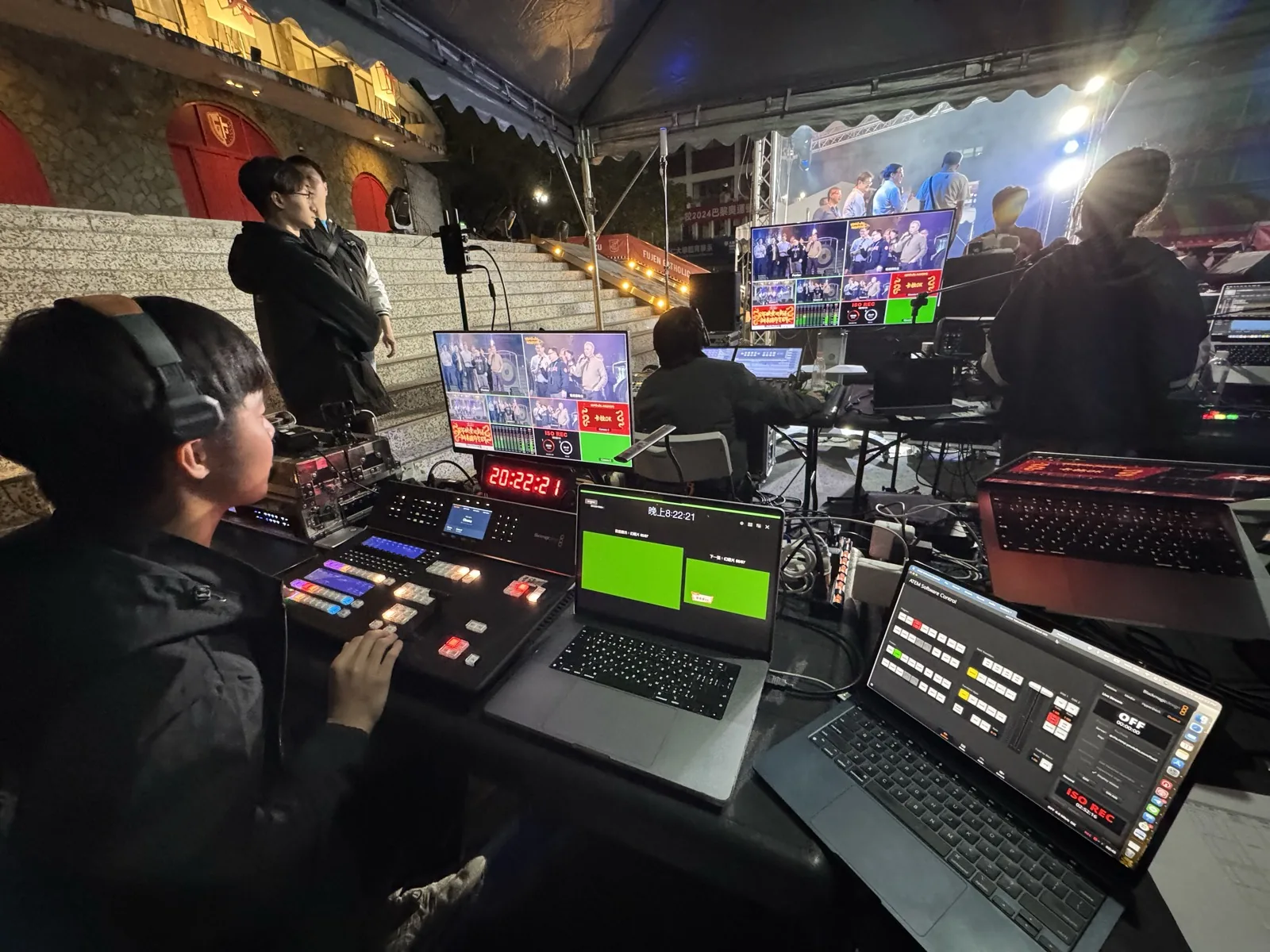
1 to 8 cameras
Camera positions are planned around the venue and the run of show, and a director switches between them live.
Cross-border links
We can bring overseas speakers into a Taipei venue or send a Taipei event out live to audiences abroad. We work with overseas teams in English throughout.
Concerts and performances
Our team reads music, so camera cuts at a concert can follow the score.
Backup equipment
Power and signal each run on two paths, so the stream keeps going if one of them fails.
On-site network
We can set up Wi-Fi and VLANs, and apply for a dedicated Chunghwa Telecom line for the stream on your behalf.
AI Live Captions
Over 100 languages. Accuracy is around 98%; names and specialist terms are where most errors happen.
On Site
Events we stream most often
Press conference live streaming
Press conferences are usually short, and two cameras are normally enough: one on the speaker, one on the room or the press area. If you need a highlight video the same day, a same-day edit can be added. For camera planning, see our Camera Setup Guide.
Forum and conference live streaming
Forums usually run all day across several sessions, with talks, panels and Q&A in turn. Before going live we check with the organizer whether slides should appear on screen and whether Chinese and English captions are needed. We have worked on four DSET (Research Institute for Democracy, Society and Emerging Technology) forums in a row since 2025.
Related work: DSET Taiwan–EU Submarine Cable Security Cooperation Forum, Taiwanese Society of Suicidology World Suicide Prevention Day, CipherLab Partner Summit, International Trade Administration program briefing
Cross-border links
A cross-border link needs the signal specs agreed with the overseas director or engineers in advance, and a rehearsal scheduled.
Related work: WIRED The Big Interview Live 2024, NVIDIA 2024 GSA Awards Dinner
Internal and private live streams
Company all-hands, member talks or content that can't go public yet can be streamed through an unlisted YouTube link or on a dedicated platform we build. On the dedicated platform only people on the guest list can log in to watch, and afterwards you can see who watched and for how long. For the differences between the two, see How do you keep a live stream to certain people only? and Custom Streaming Platform.
Live Streaming Work
How Many Cameras Does Your Event Need?
More cameras aren't always better — it depends on venue size, whether there's stage programming, and whether the picture needs live cuts. Below are our typical setups across Taipei events. To see how camera count follows from your event's purpose, read the Camera Setup Guide; for sessions you would rather not make public, there are ways to limit who can watch, and for audiences in other languages see AI Live Captions. If you're comparing live streaming companies, see questions to ask when getting quotes.
If you're unsure, send us the run sheet. We'll tell you which cameras you need and which you can drop — we don't pad the count to inflate a quote.
What We Check Before Going Live
Most live-stream failures aren't broken equipment — they're these details going unchecked.
Get a live streaming quote
Send us the date, venue, number of speakers and the platform you want to stream to, and we'll recommend a camera setup and send a quote. Quotes can be issued in English and in foreign currency. Price ranges for common live streaming packages are on our quote page.
Get a Quote